Testing AI for Floor Plan rendering
A client approaches you with a fantastic small-scale project—maybe it’s a quick furniture layout, some decor selections, and a few sourcing schedules, just like my recent SOMA project. They want to see how it all comes together, but don’t want to spend money on rendering.
Should we rely on a non-rendered floor plan or try to make a quick rendering to better convey the design intent?
Lately, out of curiosity, I’ve been testing out Nanobanana, an AI-image generation tool powered by Gemini AI model, easily available on the internet (I did not test AI embeded in a 2D/3D BIM software for that purpose).
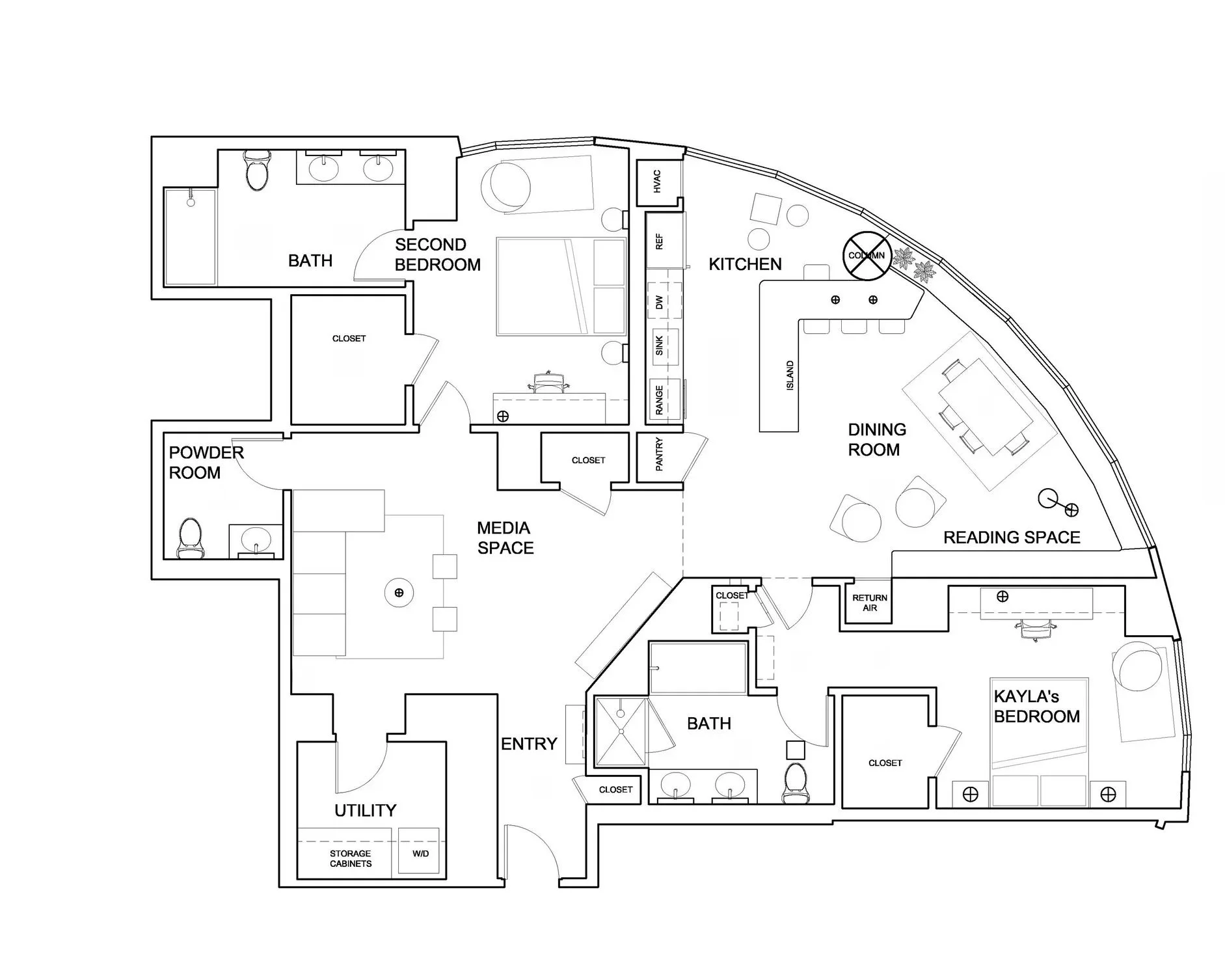
This is the floor plan used as an input for rendering.
Note: For this work, the decorative lighting fixtures have been included in the floor plan, although this is not usual. This will allow adding these fixtures on the rendered floor plan.
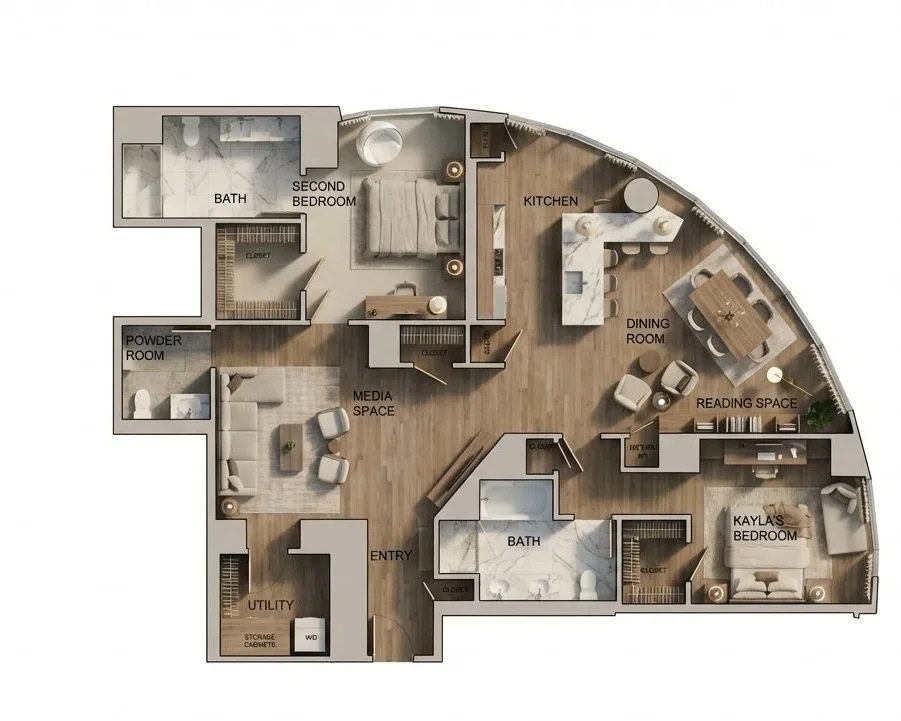
This is the first result obtained after 2 iterations.
The rendered floor plan is not true to the input floor plan. For example:
The model struggles to reproduce correctly the built-in furniture along the curtain wall in the dining room (benches with underneath storage), and adds 2 chairs at the table.
It also added additional coffee tables in the reading space, replaced the bubble chair for an armchair in the main bedroom, and added some stools around the island, or missed stools and accessory table in the kitchen.
It also seems that the AI model does not understand the shelving above the desks in the bedrooms.
So, there is some interpretation from the AI model, even if the prompt ask to not alter or add anything to the given plan.
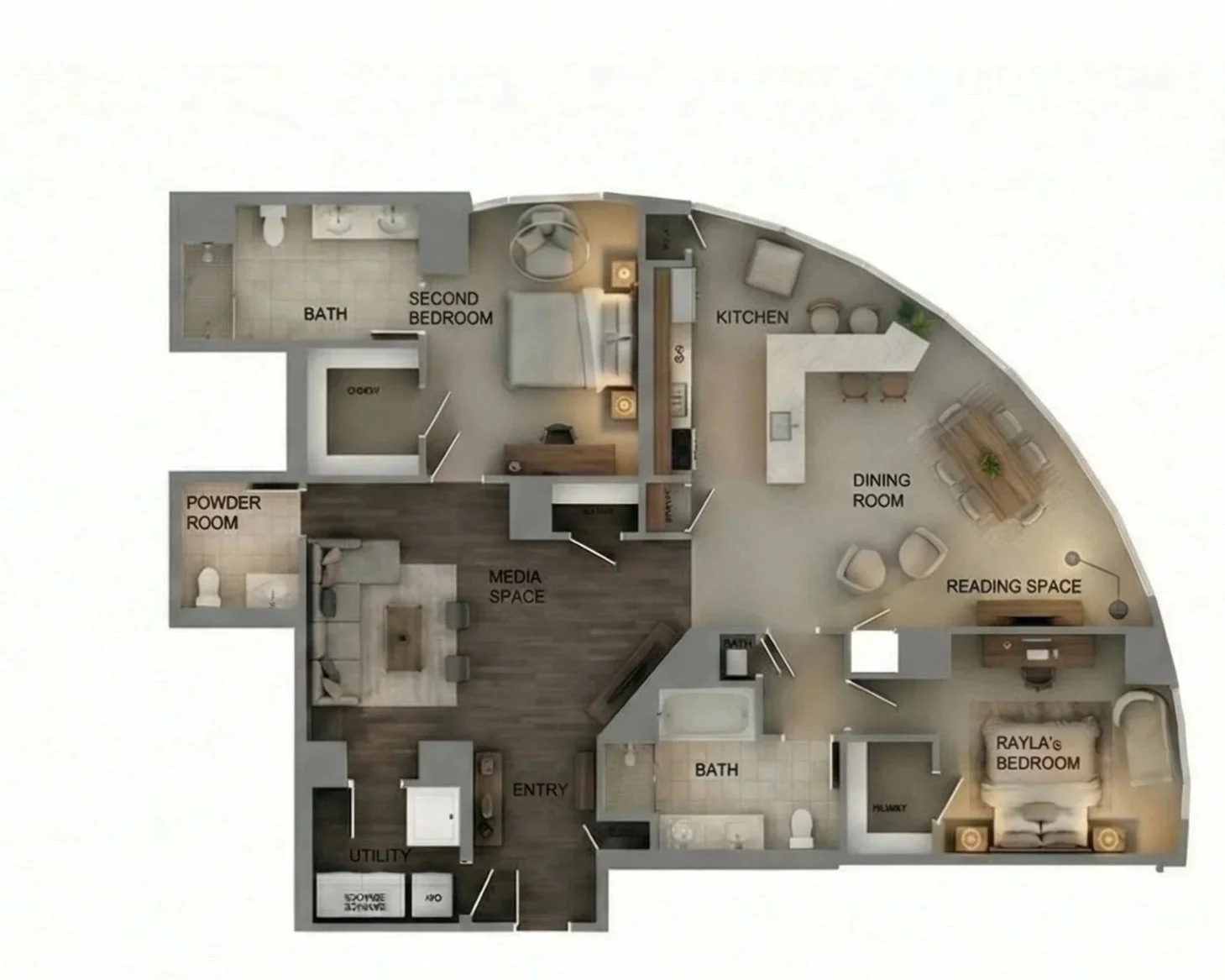
This is the second output after a few more iterations.
The model was given some guidance to use different floorings in the difference spaces. The input floor plan was annotated to explain the built-in furniture, point the missing elements and the added ones.
We can see some improvement, but it’s still not perfect.
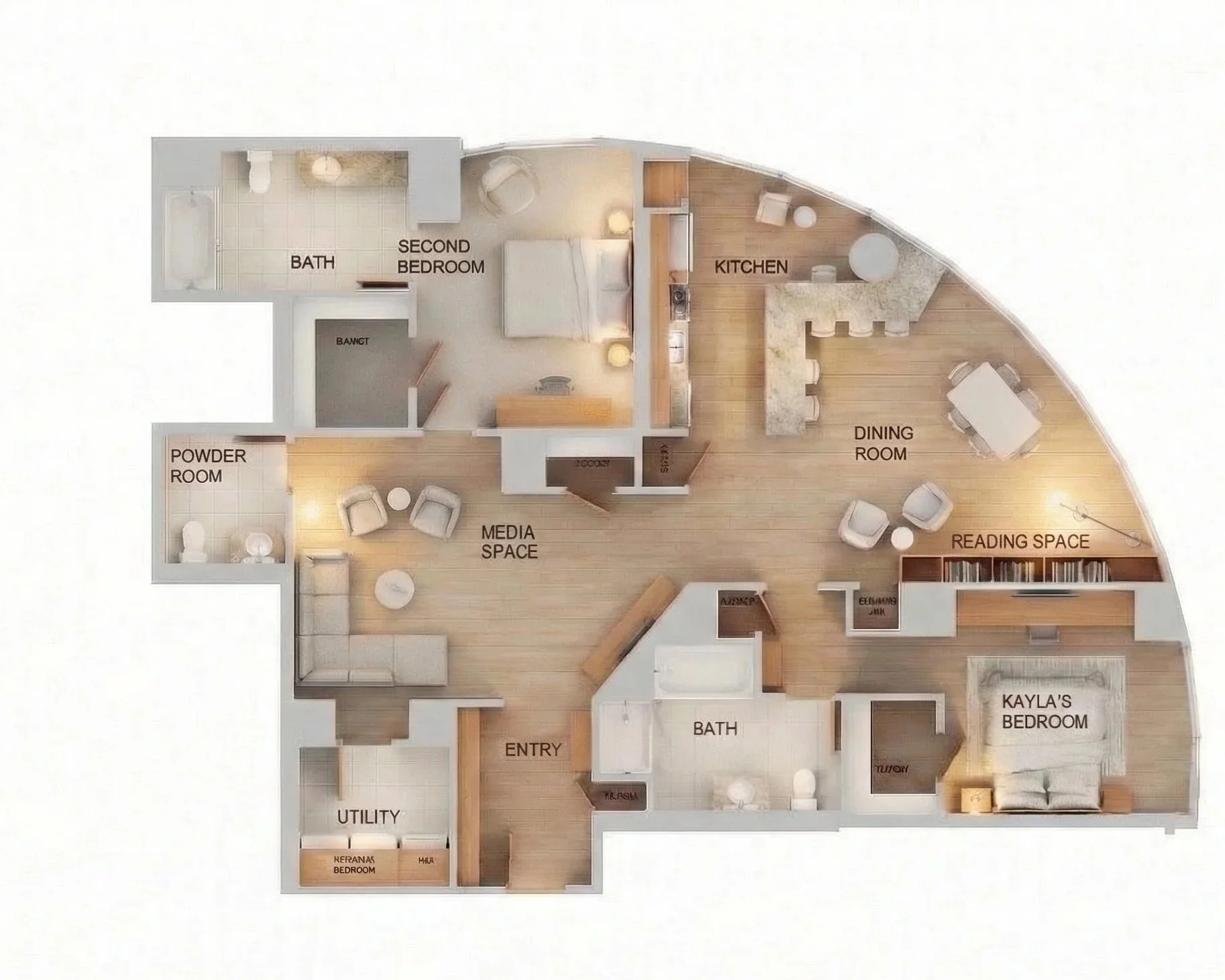
This is the third output after a few more iterations.
In this case, a different type of flooring was asked. Although the floor plan was further annotated to try and fix the issues, some discrepancies with the initial floor plan remain.
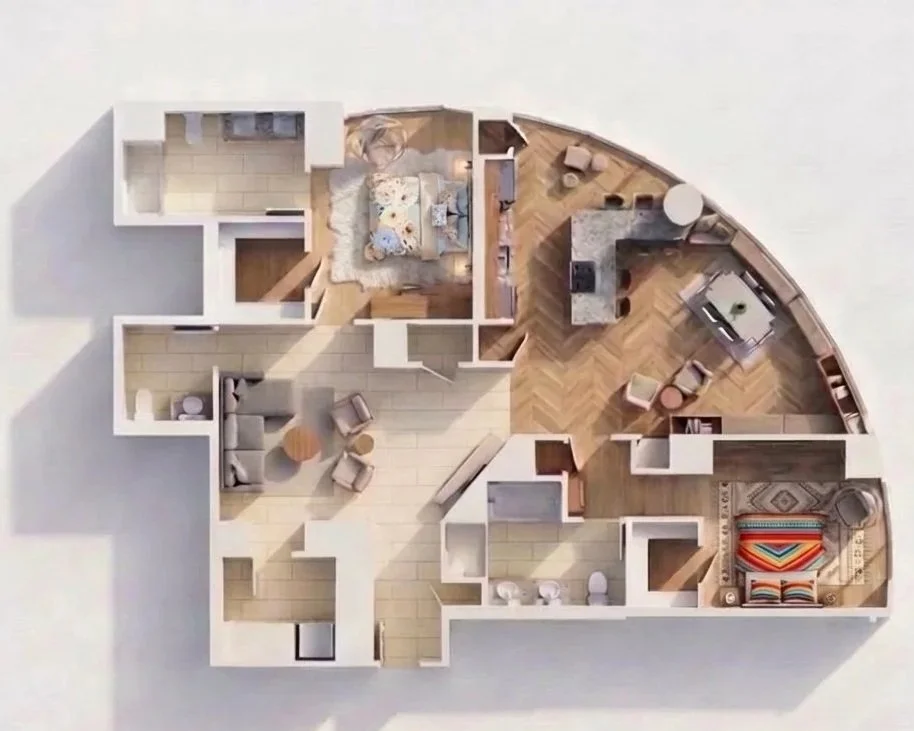
This is the fourth output after a few iterations.
In this case, the model was asked different finishes in the different bedrooms to convey different moods. I think it did that part well.
It was also asked to add the light and shadows. The result could be improved: there are some inconsistencies between the position of the openings and the shadows generated by the model.
Again, the model struggles to correctly render the built-in furniture but it’s getting better. It finally gives a good furniture layering for the media room, but the desk in the main bedroom is missing.
The tests made with Nanobanana for floor plan rendering allow to produce rendered floor plan at a fast pace. However, they are not perfect and the AI model continuously alter the floor plan although asked not too. These rendering would need to be reworked in Photoshop to correct the mistakes. So in the end, I am not sure that this process would allow sparing a lot of time if the designer has already all textures and a collection of furniture ready for use in its digital rendering software (like Photoshop for example).
It would be interesting to use standard floor plans, with no custom built-in furniture that can be difficult to interpret.